
Suppose your buying guide features a navy court sneaker in EU 42. Before you import an affiliate product feed, find the row for that exact pair. If your import takes the picture from the navy row and the price from the whole range, you could show readers a price that buys a different pair.
Keep the two colours on separate rows
First, check which format you downloaded. Awin’s feed selector offers its own format and Google Shopping format. For an Awin-format file, use the descriptions beside its columns. The field names in this example apply to a Google-format feed.
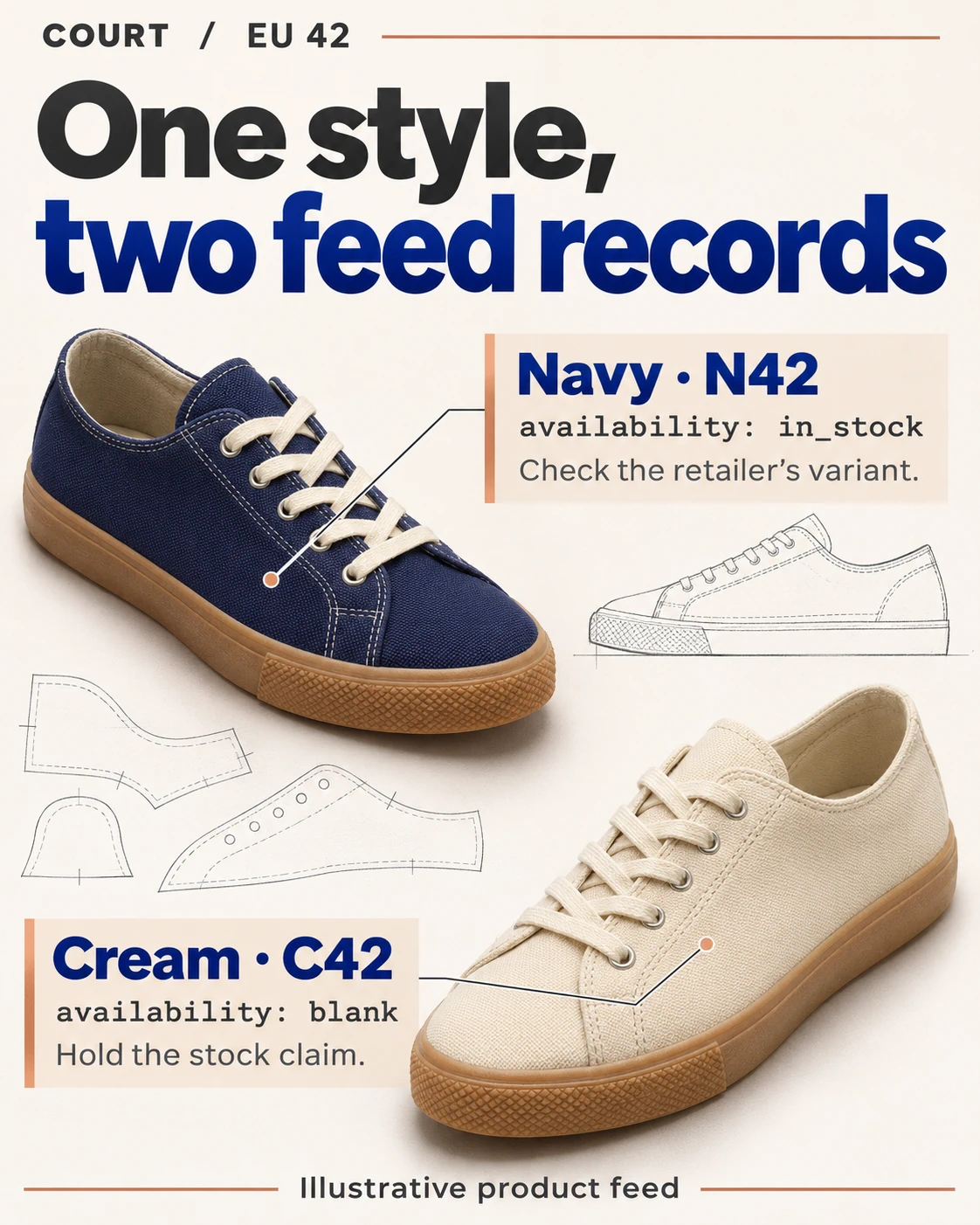
In Google Merchant Center’s format, the id field identifies one variant. The item_group_id field connects all the variants of that design. Give our two imaginary EU 42 pairs the group COURT. The navy pair has item ID N42 and the cream pair has C42. Filtering the group column for COURT returns both colours. Filtering the item ID column for N42 gets you the pair in the photograph.
You can show both on one card with a colour selector. Keep the item ID behind each option so the picture, colour name, price and stock message change together when the reader switches colours.
Decide what you can say about stock
Google Merchant Center requires an availability value for every product. Suppose navy says in_stock and cream’s cell is blank. The cream row is missing a required value. Awin’s feed guide explains that an empty column means the advertiser supplied no information for that field. Here the column contains a value for navy. Treat cream’s stock as unknown until you check that pair. Filling the gap with out_of_stock would tell readers the shop cannot take their order.
Select navy and EU 42 on the retailer’s page for your market. Compare its colour name, price, currency and order status with the row. If the shop shows a different price, leave the amount off the card until you can reconcile it. Make the same check for cream. If the retailer shows cream as unavailable, remove its buying prompt. You can feature navy as an alternative once you change the label and picture to the pair you checked.
When the navy card opens the cream pair
Imagine the card opens navy in EU 42 on a laptop. On a phone, the same button opens cream. Before touching the colour or size selector, note which pair the retailer has selected. Switching it to navy yourself can confirm that the pair is available, but the next reader still lands on cream. Google also recommends opening the matching variant by default in its Merchant Center landing-page guidance.
Start the repair at the feed row. Compare the destination on N42 with the one saved on the navy card. If the card picked up C42’s destination during import, correct the item ID it looks up and preview it again. If the navy row supplies the intended page but the phone still opens cream, ask the retailer for a destination that keeps the selection. If a verified range page lets readers choose a colour, you can label the card’s link “See available colours” and remove its navy-specific price and stock claim.
Read both dates before refreshing your listings
In Awin’s list of product feeds, each line describes one feed. Last Imported tells you when Awin last updated that feed. Last Checked tells you when Awin’s scheduled check ran. A check this morning can sit beside an older import. The retailer’s stock for navy in EU 42 has no individual timestamp here.
If your card promises a price checked today, yesterday’s import and this morning’s scheduled check cannot support that wording on their own. Recheck the featured pair or leave the price and stock message off the card. Write down when you looked at the retailer’s page separately from the two feed dates.
Leave the next editor enough to repeat your check. For the navy card, save the item ID, the shop destination and market, the colour and size that opened on each device, and the price with its currency. Add what the retailer said about ordering. If cream was unavailable, write that beside C42 so the next editor knows exactly which pair to revisit. Once the navy details agree, check the link in the finished card and release that card. Cream can wait for its own check.
Awin and Google documentation checked on 20 November 2026.